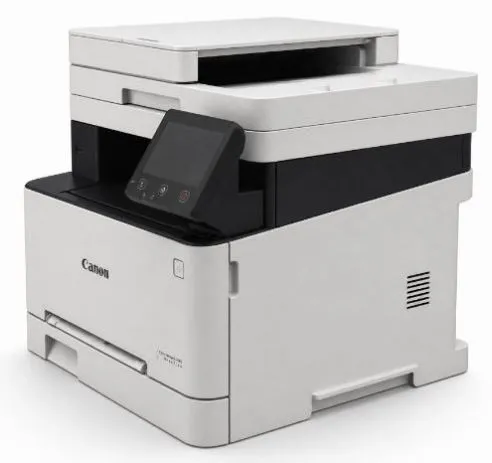
Canon imageCLASS MF643Cdw Smart 3-in-1 Colour Multifunction Laser Printer
Smart 3-in-1 Colour Multifunction Laser Printer – MF643Cdw
【Product Name】 Canon imageCLASS MF643Cdw Smart 3-in-1 Colour Multifunction Laser Printer (MF643Cdw)
【Model No. 】 MF643Cdw
【Product Code】 MF643Cdw
【Brand】 Canon
【Unit】 Each
【Product Description】
The Canon imageCLASS MF643Cdw Smart 3-in-1 Colour Multifunction Laser Printer delivers vibrant colour documents and a flexible, high-performance document handling solution for small to large businesses. Combining print, copy and scan functions in one device, it handles multiple tasks with ease.
With print and copy speeds of up to 21 pages per minute (A4, mono and colour), and duplex printing speeds of up to 12.7 pages per minute, it helps you get work done quickly while saving paper. The print resolution of up to 1,200 × 1,200 dpi delivers sharp text and vibrant images for professional-quality output.
Equipped with a 5-inch colour touchscreen LCD that supports Traditional Chinese and English with clear icon guidance, operation is intuitive and easy to manage. Built-in Wi-Fi 802.11b/g/n wireless, Gigabit Ethernet and Direct Connection enable network printing and scanning. Supports Canon PRINT Business mobile app for flexible business printing needs. With Direct Connection mode, up to 5 mobile devices can connect directly to the printer without a router.
Featuring a 50-sheet Auto Document Feeder (ADF) for efficient batch scanning and copying. Supports automatic duplex printing to help save paper resources and reduce printing costs. The integrated toner cartridge design combines the drum and toner into one unit, reducing consumable components and supporting environmental sustainability. The recommended monthly print volume is 250 to 2,500 pages. Hong Kong authorised product – for warranty inquiries, please contact Canon Hong Kong directly.
Specifications:
Hong Kong Authorised Product: This product is a genuine Hong Kong authorised product. For warranty inquiries, please contact Canon Hong Kong directly.
No reviews yet
Be the first to share your experience!
Write a review
You must log in as a member to write a review.Login here